Yep, we may get a tiny thank-you (read: commission) when you buy through
links on Techspotr — not enough for a yacht, but enough to keep the lights (and
servers) on.
Learn more
104
Highlights
42
Differences
7
Reactions
0
Likes
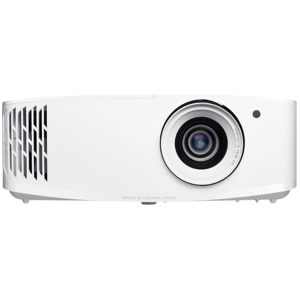
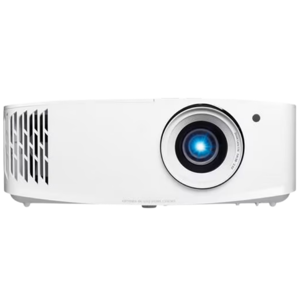
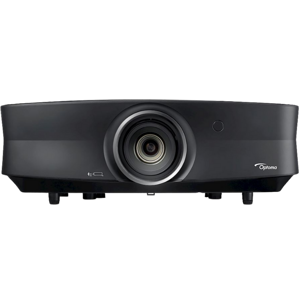
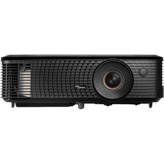
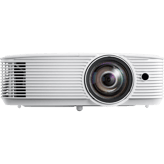
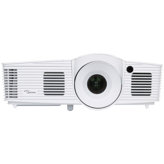
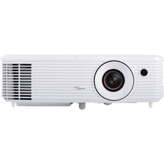
Optoma UHD55
vs
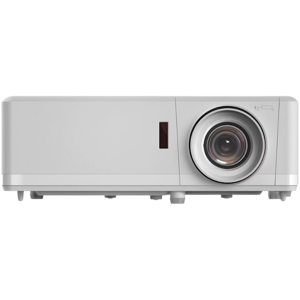
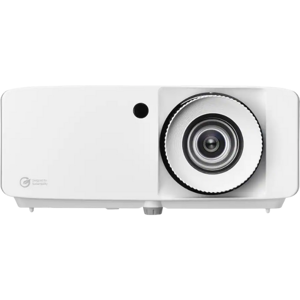
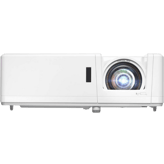
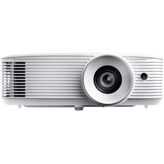
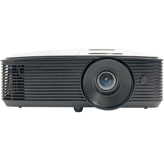
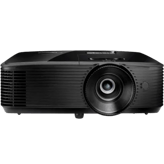
Optoma UHZ50:
104 Highlights & 42 Differences —
So, Which Projector Actually Works Better
Brightness and resolution matter. Let's see which projector stands out for sharp visuals.
We ran a full comparison of Optoma UHD55 and Optoma UHZ50 — diving into product type, native resolution, throw ratio & lens material, standout features, and what makes each projector unique.
Color Wheel Speed (for DLP): 6x
Defines the rotational speed of the DLP color wheel, affecting color accuracy and rainbow artifact reduction.
with 4 points higher
Replacement Lamp Model: Laser Module
Defines the type or class of replacement lamp or light module compatible with the projector.
with 49 points higher
Color Wheel Speed (for DLP): 6x
Defines the rotational speed of the DLP color wheel, affecting color accuracy and rainbow artifact reduction.
with 4 points higher
Connectivity & I/O Ports
Has 3 HDMI Ports
Number of HDMI inputs available for digital video and audio.
with 24 points higher
HDMI Version: 2.0
Specifies the supported HDMI standard.
with 2 points higher
Replacement Lamp Model: Laser Module
Defines the type or class of replacement lamp or light module compatible with the projector.
with 49 points higher
Optoma UHD55 vs. UHZ50: A Closer Look at Two True 4K Home Theater Projectors
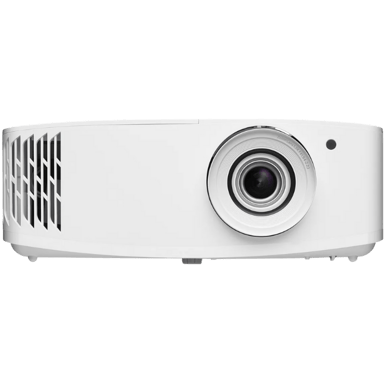
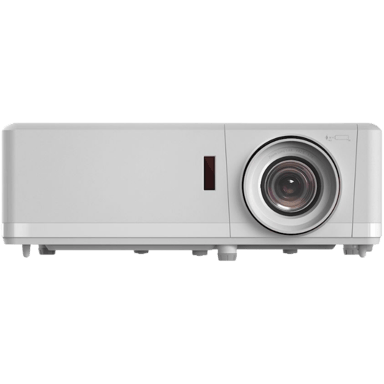
If you're diving into the world of high-quality projection, the Optoma UHD55 and UHZ50 stand out as compelling contenders. Both projectors boast native 4K resolution with Ultra HD sharpness driven by DLP technology and advanced image processing. Their design accommodates typical home theater environments, with options for tabletop or ceiling mounting and a similar throw ratio range of 1.0-1.5 that fits standard room sizes.
Despite these core similarities, their fundamental differences set them apart. The UHD55 relies on a powerful lamp-based light source delivering 3600 lumens while offering pixel shifting technology and modern smart features like voice control and Chromecast screen mirroring. Meanwhile, the UHZ50 employs a laser light source rated at 3000 lumens, wrapped in a sturdier plastic-metal hybrid build, aimed at longevity and premium build quality, but for a significantly higher price. Let's explore what makes each model shine.
Shining Bright: The Optoma UHD55's Advanced Visual and Smart Features
The UHD55 excels with its higher brightness output of 3600 lumens, which is a significant advantage for projecting vivid images even in rooms with ambient light. Unique among these two, it incorporates pixel shifting technology, enhancing perceived 4K detail by rapidly shifting pixels to simulate a higher resolution image. This boosts sharpness beyond a traditional native 4K panel's capability, augmented by the projector's balanced sharpness enhancement algorithms.
In addition to superior image sharpness, the UHD55 features frame interpolation and MEMC modes, which smooth out motion for sports and fast-paced scenes, alongside skin tone correction that improves naturalness. The lighting system is powered by a 240W lamp with configurable color temperature presets, including Warm, Neutral, Cool, and Custom options, giving users flexible calibration choices.
Smart features here are quite modern: voice control capability and Chromecast screen mirroring support make access to streaming and mobile content seamless. Audio options support Dolby Audio with enhanced audio processing, plus Bluetooth audio output for wireless speakers. These features combine to create a versatile projector that's easy to integrate into today's smart home theaters; plus, it comes in a compact 12.4-inch width footprint.
Laser Longevity: What the Optoma UHZ50 Brings to the Table
The UHZ50 focuses on offering longevity and reliability with a true laser light source, which tends to provide more consistent brightness and color fidelity over time compared to lamp-based systems. While it delivers a slightly lower 3000 lumens brightness, this may be adequate for users in more controlled lighting conditions typical of dedicated home theaters.
One notable aspect is its build quality; a mix of plastic with metal components gives the UHZ50 a more premium feel and potentially greater durability. Unlike the UHD55, the UHZ50 does not employ pixel shifting but sticks to a pure true 4K panel. Motion processing includes MEMC and skin tone correction to smooth movement, although it lacks the separate frame interpolation feature found in its counterpart. Color temperature customization is limited to user-defined custom settings without the presets offered by the UHD55.
Smart feature-wise, the UHZ50 is more traditional; it doesn't offer voice control or built-in screen mirroring capabilities, but it does provide Bluetooth audio output and Dolby Audio support, matching the UHD55's sound quality. Its power consumption is slightly lower at about 290 watts, which may tip the scale for energy-conscious users.
The projector's dimensions are a bit larger at a 13.5-inch width, and it's designed with the longevity and consistent performance of laser illumination in mind. Such considerations cater well to those investing in a more premium, durable home theater setup, willing to pay a premium for these advantages.
Quick Take
The Optoma UHD55 shines with superior brightness, pixel shifting for enhanced resolution, and modern smart features like voice control and Chromecast mirroring, making it an excellent choice for general home theater users seeking vivid images and connectivity at a great value. Meanwhile, the Optoma UHZ50 appeals to enthusiasts who want the reliability and lifespan benefits of laser projection paired with a sturdy build and efficient power usage, albeit with fewer smart conveniences.
Bottom Line
For most home theater fans, the Optoma UHD55 offers the best combination of cutting-edge image clarity, brighter output, and modern smart usability, all at a significantly lower price point. However, if you prioritize a laser light source's longevity and build quality over extra features like pixel shifting or voice control, the slightly more expensive Optoma UHZ50 may be the projector for you.
Verdict
Winner: Optoma UHD55 - Outstanding brightness, pixel shifting, and smart features deliver excellent value and image quality for home theater enthusiasts.
Runner-up: Optoma UHZ50 - A premium laser projector offering longer lifespan and build durability, suited for dedicated users focused on long-term reliability.
Side by side. The numbers. The features. No drama.
Whether you’re leaning toward Optoma UHD55 or tempted by Optoma UHZ50, this full projectors breakdown lays out their differences clearly. From highlights to hidden quirks, we’ve compared them all — so you don’t have to.
What is the projection technology type of this projector?
58
Optoma UHD55
0Votes
DLP
67
Optoma UHZ50
0Votes
DLP
vs
Projection Technology Type
Both Optoma UHD55 and Optoma UHZ50 utilize DLP as their Projection Technology Type, ensuring similar projection methods.
Identifies the core imaging technology used.
In the battle of Projection Technology Type,
Optoma UHD55 ◉ is
worse than
Optoma UHZ50 ◉
, delivering
lower
9 score
measurement.
Don’t keep it to yourself — be the first to react and review the
Projection Technology Type on Optoma UHD55 ◉
vs Optoma UHZ50 ◉ and help others decide!
Release Year
What is the release year of this projector?
98
Optoma UHD55
0Votes
2026
72
Optoma UHZ50
0Votes
2021
Shows the year the projector model was released.
In the battle of Release Year,
Optoma UHD55 ◉ is
better than
Optoma UHZ50 ◉
, delivering
higher
26 score
measurement.
Don’t keep it to yourself — be the first to react and review the
Release Year on Optoma UHD55 ◉
vs Optoma UHZ50 ◉ and help others decide!
Country of Manufacture
What is the country of manufacture for this projector?
78
Optoma UHD55
0Votes
China
87
Optoma UHZ50
0Votes
China
Indicates where the projector was manufactured.
In the battle of Country of Manufacture,
Optoma UHD55 ◉ is
worse than
Optoma UHZ50 ◉
, delivering
lower
9 score
measurement.
Don’t keep it to yourself — be the first to react and review the
Country of Manufacture on Optoma UHD55 ◉
vs Optoma UHZ50 ◉ and help others decide!
Intended Usage Type
What is the intended usage type of this projector?
78
Optoma UHD55
0Votes
Home Theater
62
Optoma UHZ50
0Votes
Home Theater, Gaming
Describes the ideal application for this projector.
In the battle of Intended Usage Type,
Optoma UHD55 ◉ is
better than
Optoma UHZ50 ◉
, delivering
higher
16 score
measurement.
Don’t keep it to yourself — be the first to react and review the
Intended Usage Type on Optoma UHD55 ◉
vs Optoma UHZ50 ◉ and help others decide!
Imaging Chip Type
What is the imaging chip type of this projector?
83
Optoma UHD55
0Votes
DLP Chip
87
Optoma UHZ50
0Votes
DLP Chip
Indicates the chip architecture that forms the image.
In the battle of Imaging Chip Type,
Optoma UHD55 ◉ is
worse than
Optoma UHZ50 ◉
, delivering
lower
4 score
measurement.
Don’t keep it to yourself — be the first to react and review the
Imaging Chip Type on Optoma UHD55 ◉
vs Optoma UHZ50 ◉ and help others decide!
The Sharpness Enhancement Type is 2–4 (Balanced) for both Optoma UHD55 and Optoma UHZ50, offering similar sharpness processing.
What is the sharpness enhancement level?
In the battle of Sharpness Enhancement Type,
Optoma UHD55 ◉ is
better than
Optoma UHZ50 ◉
, delivering
higher
11 score
measurement.
Don’t keep it to yourself — be the first to react and review the
Sharpness Enhancement Type on Optoma UHD55 ◉
vs Optoma UHZ50 ◉ and help others decide!
Peak ANSI Lumens
What is the peak ANSI lumens of this projector?
3,600
lumen
0Votes
3,000
lumen
0Votes
Optoma UHZ50
Peak ANSI brightness is 3000 lumens, confirming the projector's capability to deliver bright images in various lighting conditions.
Industry-standard brightness measurement using ANSI method.
In the battle of Peak ANSI Lumens,
Optoma UHD55 ◉ is
better than
Optoma UHZ50 ◉
, delivering
higher
600.0 lumen
measurement.
Don’t keep it to yourself — be the first to react and review the
Peak ANSI Lumens on Optoma UHD55 ◉
vs Optoma UHZ50 ◉ and help others decide!
Contrast Ratio
What is the contrast ratio of this projector?
0
Optoma UHD55
0Votes
1,000,000:1
1
Optoma UHZ50
0Votes
2,500,000:1
Optoma UHZ50
The contrast ratio is a very high 2,500,000:1, enabling the projector to deliver deep blacks and vibrant colors for a rich viewing experience.
Represents the difference between the darkest black and brightest white produced by the projector.
In the battle of Contrast Ratio,
Optoma UHD55 ◉ is
worse than
Optoma UHZ50 ◉
, delivering
lower
1 score
measurement.
Don’t keep it to yourself — be the first to react and review the
Contrast Ratio on Optoma UHD55 ◉
vs Optoma UHZ50 ◉ and help others decide!
Color Gamut Coverage
What is the color gamut coverage?
95
%
0Votes
100
%
0Votes
Optoma UHZ50
The color gamut coverage is 100%, indicating the projector can reproduce the full range of colors specified, enhancing image fidelity.
Indicates percent coverage of color spaces such as Rec.709 or DCI-P3.
In the battle of Color Gamut Coverage,
Optoma UHD55 ◉ is
worse than
Optoma UHZ50 ◉
, delivering
lower
5.0 %
measurement.
Don’t keep it to yourself — be the first to react and review the
Color Gamut Coverage on Optoma UHD55 ◉
vs Optoma UHZ50 ◉ and help others decide!
Color Bit Depth
What is the color bit depth?
10
bit
0Votes
10
bit
0Votes
Optoma UHD55
Supports a color bit depth of 10 bits, allowing for richer color gradients and more accurate image reproduction.
Determines how finely color gradients are rendered.
In the battle of Color Bit Depth,
Optoma UHD55 ◉ is
same as
Optoma UHZ50 ◉
, delivering
equal
10.00 bit
measurement.
Don’t keep it to yourself — be the first to react and review the
Color Bit Depth on Optoma UHD55 ◉
vs Optoma UHZ50 ◉ and help others decide!
Maximum Supported Resolution
What is the maximum supported resolution of this projector?
78
Optoma UHD55
0Votes
4K
87
Optoma UHZ50
0Votes
4K
The highest resolution signal the projector can accept.
In the battle of Maximum Supported Resolution,
Optoma UHD55 ◉ is
worse than
Optoma UHZ50 ◉
, delivering
lower
9 score
measurement.
Don’t keep it to yourself — be the first to react and review the
Maximum Supported Resolution on Optoma UHD55 ◉
vs Optoma UHZ50 ◉ and help others decide!
Dynamic Lumens
What is the dynamic lumens rating?
3,600
lumen
0Votes
Who knows?
0Votes
Optoma UHZ50
(Help us out by suggesting one!)
Measures boosted brightness in enhanced dynamic modes.
Don’t keep it to yourself — be the first to react and review the
Dynamic Lumens on Optoma UHD55 ◉
vs Optoma UHZ50 ◉ and help others decide!
Dynamic Contrast Ratio
Deep dynamic contrast at :val.
0
Optoma UHD55
0Votes
1,000,000:1
9
Optoma UHZ50
0Votes
2,000,000:1
What is the dynamic contrast ratio?
In the battle of Dynamic Contrast Ratio,
Optoma UHD55 ◉ is
worse than
Optoma UHZ50 ◉
, delivering
lower
9 score
measurement.
Don’t keep it to yourself — be the first to react and review the
Dynamic Contrast Ratio on Optoma UHD55 ◉
vs Optoma UHZ50 ◉ and help others decide!
HDR Format Support
What HDR formats does this projector support?
43
Optoma UHD55
0Votes
HDR10, HLG
30
Optoma UHZ50
0Votes
HDR10, HLG
Specifies which HDR formats the projector can display.
In the battle of HDR Format Support,
Optoma UHD55 ◉ is
better than
Optoma UHZ50 ◉
, delivering
higher
13 score
measurement.
Don’t keep it to yourself — be the first to react and review the
HDR Format Support on Optoma UHD55 ◉
vs Optoma UHZ50 ◉ and help others decide!
HDR Peak Brightness
What is the HDR peak brightness?
3,600
lumen
0Votes
Who knows?
0Votes
Optoma UHZ50
(Help us out by suggesting one!)
How bright the projector can go during HDR highlights.
Don’t keep it to yourself — be the first to react and review the
HDR Peak Brightness on Optoma UHD55 ◉
vs Optoma UHZ50 ◉ and help others decide!
Refresh Rate
What is the refresh rate?
240
Hz
0Votes
240
Hz
0Votes
Determines motion smoothness for gaming and video.
In the battle of Refresh Rate,
Optoma UHD55 ◉ is
same as
Optoma UHZ50 ◉
, delivering
equal
240.00 Hz
measurement.
Don’t keep it to yourself — be the first to react and review the
Refresh Rate on Optoma UHD55 ◉
vs Optoma UHZ50 ◉ and help others decide!
Motion Processing Type
Smooth motion processing with level :val.
38
Optoma UHD55
0Votes
2–5 (Standard)
87
Optoma UHZ50
0Votes
6–10 (High smoothing)
What is the motion processing level?
In the battle of Motion Processing Type,
Optoma UHD55 ◉ is
worse than
Optoma UHZ50 ◉
, delivering
lower
49 score
measurement.
Don’t keep it to yourself — be the first to react and review the
Motion Processing Type on Optoma UHD55 ◉
vs Optoma UHZ50 ◉ and help others decide!
Keystone Correction Horizontal is 40 degrees for both Optoma UHD55 and Optoma UHZ50, providing similar image alignment flexibility.
Horizontal angle adjustment to correct image distortion.
In the battle of Keystone Correction Horizontal,
Optoma UHD55 ◉ is
same as
Optoma UHZ50 ◉
, delivering
equal
40.00 degree
measurement.
Don’t keep it to yourself — be the first to react and review the
Keystone Correction Horizontal on Optoma UHD55 ◉
vs Optoma UHZ50 ◉ and help others decide!
The maximum screen size supported by Optoma UHD55 is slightly larger at 302.22 inches compared to 300 inches for Optoma UHZ50, allowing a marginally bigger display.
Largest supported diagonal projection size.
In the battle of Screen Size Maximum,
Optoma UHD55 ◉ is
better than
Optoma UHZ50 ◉
, delivering
higher
2.2 inch
measurement.
Don’t keep it to yourself — be the first to react and review the
Screen Size Maximum on Optoma UHD55 ◉
vs Optoma UHZ50 ◉ and help others decide!
Auto Keystone
Does this projector support auto keystone?
Yes
0Votes
Optoma UHD55
Yes
0Votes
Optoma UHZ50
Optoma UHD55
Auto keystone correction is included to automatically adjust for image distortion when the projector is placed at an angle.
Optoma UHZ50
Auto Keystone correction is supported, enabling the projector to automatically adjust image distortion caused by projecting at an angle for a properly aligned display.
Automatically corrects keystone distortion.
In the battle of Auto Keystone,
Optoma UHD55 ◉ is
better than
Optoma UHZ50 ◉
, delivering
higher
1 score
measurement.
Don’t keep it to yourself — be the first to react and review the
Auto Keystone on Optoma UHD55 ◉
vs Optoma UHZ50 ◉ and help others decide!
Maximum Throw Distance
What is the maximum throw distance?
26.6
ft
0Votes
26.6
ft
0Votes
Optoma UHZ50
The maximum throw distance is 26.6 feet (8.11 meters), specifying how far the projector can be placed from the screen while maintaining image quality.
Maximum distance at which the projector can achieve a proper image.
In the battle of Maximum Throw Distance,
Optoma UHD55 ◉ is
same as
Optoma UHZ50 ◉
, delivering
equal
26.60 ft
measurement.
Don’t keep it to yourself — be the first to react and review the
Maximum Throw Distance on Optoma UHD55 ◉
vs Optoma UHZ50 ◉ and help others decide!
Digital Zoom Level
Useful zoom reaching :valx.
8
Optoma UHD55
0Votes
Yes
57
Optoma UHZ50
0Votes
1.1x–1.5x (Standard)
Optoma UHD55
Supports digital zoom, allowing users to zoom in on the image without physically moving the projector.
What is the digital zoom level?
In the battle of Digital Zoom Level,
Optoma UHD55 ◉ is
worse than
Optoma UHZ50 ◉
, delivering
lower
49 score
measurement.
Don’t keep it to yourself — be the first to react and review the
Digital Zoom Level on Optoma UHD55 ◉
vs Optoma UHZ50 ◉ and help others decide!
Screen Size Minimum
What is the minimum supported screen size?
34.03
inch
0Votes
30
inch
0Votes
Optoma UHZ50
The minimum screen size supported is 30 inches (76.2 cm), indicating the smallest viewing area the projector can effectively display.
Smallest supported diagonal projection size.
In the battle of Screen Size Minimum,
Optoma UHD55 ◉ is
worse than
Optoma UHZ50 ◉
, delivering
higher
4.0 inch
measurement.
Don’t keep it to yourself — be the first to react and review the
Screen Size Minimum on Optoma UHD55 ◉
vs Optoma UHZ50 ◉ and help others decide!
Projection Alignment Type
What is the projection alignment type?
58
Optoma UHD55
0Votes
Front
67
Optoma UHZ50
0Votes
Front
Optoma UHZ50
The projection alignment type is front, meaning the projector is designed to face the screen directly in standard setups.
Describes how the projector aligns with the screen.
In the battle of Projection Alignment Type,
Optoma UHD55 ◉ is
worse than
Optoma UHZ50 ◉
, delivering
lower
9 score
measurement.
Don’t keep it to yourself — be the first to react and review the
Projection Alignment Type on Optoma UHD55 ◉
vs Optoma UHZ50 ◉ and help others decide!
Minimum Throw Distance
What is the minimum throw distance?
3.9
ft
0Votes
4
ft
0Votes
Closest usable distance between projector and screen.
In the battle of Minimum Throw Distance,
Optoma UHD55 ◉ is
better than
Optoma UHZ50 ◉
, delivering
lower
0.1 ft
measurement.
Don’t keep it to yourself — be the first to react and review the
Minimum Throw Distance on Optoma UHD55 ◉
vs Optoma UHZ50 ◉ and help others decide!
Keystone Correction Vertical
What is the vertical keystone correction?
40
degree
0Votes
40
degree
0Votes
Vertical angle adjustment to correct image distortion.
In the battle of Keystone Correction Vertical,
Optoma UHD55 ◉ is
same as
Optoma UHZ50 ◉
, delivering
equal
40.00 degree
measurement.
Don’t keep it to yourself — be the first to react and review the
Keystone Correction Vertical on Optoma UHD55 ◉
vs Optoma UHZ50 ◉ and help others decide!
Lens Shift Vertical
What is the vertical lens shift?
10
%
0Votes
Who knows?
0Votes
Optoma UHZ50
(Help us out by suggesting one!)
Vertical lens movement for distortion-free positioning.
Don’t keep it to yourself — be the first to react and review the
Lens Shift Vertical on Optoma UHD55 ◉
vs Optoma UHZ50 ◉ and help others decide!
Lens Shift Horizontal
What is the horizontal lens shift?
Who knows?
0Votes
Optoma UHD55
(Help us out by suggesting one!)
Who knows?
0Votes
Optoma UHZ50
(Help us out by suggesting one!)
Horizontal lens movement to fine-tune placement.
Don’t keep it to yourself — be the first to react and review the
Lens Shift Horizontal on Optoma UHD55 ◉
vs Optoma UHZ50 ◉ and help others decide!
Optical Zoom Level
High-quality optical zoom at :valx.
48
Optoma UHD55
0Votes
1.2x–1.5x (Standard)
47
Optoma UHZ50
0Votes
1.2x–1.5x (Standard)
What is the optical zoom level?
In the battle of Optical Zoom Level,
Optoma UHD55 ◉ is
better than
Optoma UHZ50 ◉
, delivering
higher
1 score
measurement.
Don’t keep it to yourself — be the first to react and review the
Optical Zoom Level on Optoma UHD55 ◉
vs Optoma UHZ50 ◉ and help others decide!
Lens Replacement Compatibility is not available on either Optoma UHD55 or Optoma UHZ50, limiting lens upgrade options.
Indicates whether the projector's lens can be replaced or upgraded.
In the battle of Lens Replacement Compatibility,
Optoma UHD55 ◉ is
same as
Optoma UHZ50 ◉
.
Don’t keep it to yourself — be the first to react and review the
Lens Replacement Compatibility on Optoma UHD55 ◉
vs Optoma UHZ50 ◉ and help others decide!
Lens Coating Type
What is the lens coating type?
88
Optoma UHD55
0Votes
Anti-Reflective
67
Optoma UHZ50
0Votes
Anti-Reflective
Defines special coatings that enhance optical performance.
In the battle of Lens Coating Type,
Optoma UHD55 ◉ is
better than
Optoma UHZ50 ◉
, delivering
higher
21 score
measurement.
Don’t keep it to yourself — be the first to react and review the
Lens Coating Type on Optoma UHD55 ◉
vs Optoma UHZ50 ◉ and help others decide!
Auto Focus
Does this projector support auto focus?
No
0Votes
Optoma UHD55
No
0Votes
Optoma UHZ50
Indicates whether the projector can automatically adjust focus.
In the battle of Auto Focus,
Optoma UHD55 ◉ is
same as
Optoma UHZ50 ◉
.
Don’t keep it to yourself — be the first to react and review the
Auto Focus on Optoma UHD55 ◉
vs Optoma UHZ50 ◉ and help others decide!
Manual Focus Range
What is the manual focus range?
38
Optoma UHD55
0Votes
Standard throw range
67
Optoma UHZ50
0Votes
Manual
Indicates the distance range manual focus can adjust for.
In the battle of Manual Focus Range,
Optoma UHD55 ◉ is
worse than
Optoma UHZ50 ◉
, delivering
lower
29 score
measurement.
Don’t keep it to yourself — be the first to react and review the
Manual Focus Range on Optoma UHD55 ◉
vs Optoma UHZ50 ◉ and help others decide!
Lens Motor Noise Level
What is the lens motor noise level?
26
dB
0Votes
Who knows?
0Votes
Optoma UHZ50
(Help us out by suggesting one!)
Measures noise generated during lens adjustments.
Don’t keep it to yourself — be the first to react and review the
Lens Motor Noise Level on Optoma UHD55 ◉
vs Optoma UHZ50 ◉ and help others decide!
Lens Protection Cover
Does this projector include a lens protection cover?
No
0Votes
Optoma UHD55
No
0Votes
Optoma UHZ50
Indicates whether the lens includes a physical protection cover.
In the battle of Lens Protection Cover,
Optoma UHD55 ◉ is
same as
Optoma UHZ50 ◉
.
Don’t keep it to yourself — be the first to react and review the
Lens Protection Cover on Optoma UHD55 ◉
vs Optoma UHZ50 ◉ and help others decide!
Who knows?
0Votes
Optoma UHZ50
(Help us out by suggesting one!)
vs
Light Source Power Output
Optoma UHD55 has a Light Source Power Output of 240 Watts, while this value is unavailable for Optoma UHZ50, so power output cannot be directly compared.
Indicates the wattage of the light source, affecting brightness potential.
Don’t keep it to yourself — be the first to react and review the
Light Source Power Output on Optoma UHD55 ◉
vs Optoma UHZ50 ◉ and help others decide!
Color Temperature options on Optoma UHD55 include Warm, Neutral, Cool, and Custom, whereas Optoma UHZ50 only offers Custom, giving UHD55 broader preset options.
Defines the visual warmth or coolness profile of the projected image.
In the battle of Color Temperature,
Optoma UHD55 ◉ is
worse than
Optoma UHZ50 ◉
, delivering
lower
19 score
measurement.
Don’t keep it to yourself — be the first to react and review the
Color Temperature on Optoma UHD55 ◉
vs Optoma UHZ50 ◉ and help others decide!
Light Source Lifetime Normal Mode
What is the light source lifetime in normal mode?
4,000
hour
0Votes
20,000
hour
0Votes
Optoma UHZ50
The laser light source has a rated lifetime of 20,000 hours, indicating long-lasting performance with minimal maintenance.
Estimated lifespan in standard usage mode.
In the battle of Light Source Lifetime Normal Mode,
Optoma UHD55 ◉ is
worse than
Optoma UHZ50 ◉
, delivering
lower
16,000.0 hour
measurement.
Don’t keep it to yourself — be the first to react and review the
Light Source Lifetime Normal Mode on Optoma UHD55 ◉
vs Optoma UHZ50 ◉ and help others decide!
Cool-Down Time
What is the cool-down time?
60
second
0Votes
Who knows?
0Votes
Optoma UHZ50
(Help us out by suggesting one!)
Optoma UHD55
The cool-down time is specified as 60 seconds which indicates how long the projector takes to safely power down and cool the light source before it can be handled or moved.
Time required before the projector safely powers off.
Don’t keep it to yourself — be the first to react and review the
Cool-Down Time on Optoma UHD55 ◉
vs Optoma UHZ50 ◉ and help others decide!
Light Source Replaceability
Can the light source be replaced?
Yes
0Votes
Optoma UHD55
No
0Votes
Optoma UHZ50
Optoma UHD55
The light source is replaceable, which allows for longer device lifespan and easier maintenance.
Indicates whether users can replace the light source.
In the battle of Light Source Replaceability,
Optoma UHD55 ◉ is
better than
Optoma UHZ50 ◉
, delivering
higher
41 score
measurement.
Don’t keep it to yourself — be the first to react and review the
Light Source Replaceability on Optoma UHD55 ◉
vs Optoma UHZ50 ◉ and help others decide!
Light Source Type
What is the light source type?
38
Optoma UHD55
0Votes
Lamp
87
Optoma UHZ50
0Votes
Laser
Defines the illumination technology powering the projector.
In the battle of Light Source Type,
Optoma UHD55 ◉ is
worse than
Optoma UHZ50 ◉
, delivering
lower
49 score
measurement.
Don’t keep it to yourself — be the first to react and review the
Light Source Type on Optoma UHD55 ◉
vs Optoma UHZ50 ◉ and help others decide!
Light Source Lifetime Eco Mode
What is the light source lifetime in eco mode?
15,000
hour
0Votes
30,000
hour
0Votes
Estimated lifespan of the light source in eco mode.
In the battle of Light Source Lifetime Eco Mode,
Optoma UHD55 ◉ is
worse than
Optoma UHZ50 ◉
, delivering
lower
15,000.0 hour
measurement.
Don’t keep it to yourself — be the first to react and review the
Light Source Lifetime Eco Mode on Optoma UHD55 ◉
vs Optoma UHZ50 ◉ and help others decide!
Light Flicker Control
Does this projector include light flicker control?
Yes
0Votes
Optoma UHD55
Yes
0Votes
Optoma UHZ50
Indicates whether flicker reduction technology is implemented.
In the battle of Light Flicker Control,
Optoma UHD55 ◉ is
better than
Optoma UHZ50 ◉
, delivering
higher
1 score
measurement.
Don’t keep it to yourself — be the first to react and review the
Light Flicker Control on Optoma UHD55 ◉
vs Optoma UHZ50 ◉ and help others decide!
Both Optoma UHD55 and Optoma UHZ50 have a Color Wheel Speed of 6x, indicating similar color processing speeds for DLP.
Defines the rotational speed of the DLP color wheel, affecting color accuracy and rainbow artifact reduction.
In the battle of Color Wheel Speed (for DLP),
Optoma UHD55 ◉ is
worse than
Optoma UHZ50 ◉
, delivering
lower
4 score
measurement.
Don’t keep it to yourself — be the first to react and review the
Color Wheel Speed (for DLP) on Optoma UHD55 ◉
vs Optoma UHZ50 ◉ and help others decide!
What color temperature presets does this projector offer?
48
Optoma UHD55
0Votes
Warm, Neutral, Cool
37
Optoma UHZ50
0Votes
Warm, Neutral, Cool
vs
Color Temperature Presets
Color Temperature Presets include Warm, Neutral, and Cool for both Optoma UHD55 and Optoma UHZ50, offering similar color setting options.
Preset visual warmth settings for different content.
In the battle of Color Temperature Presets,
Optoma UHD55 ◉ is
better than
Optoma UHZ50 ◉
, delivering
higher
11 score
measurement.
Don’t keep it to yourself — be the first to react and review the
Color Temperature Presets on Optoma UHD55 ◉
vs Optoma UHZ50 ◉ and help others decide!
Image Processor Type
What is the image processor type?
58
Optoma UHD55
0Votes
Advanced
85
Optoma UHZ50
0Votes
PureEngine Ultra
Optoma UHD55
The image processor is advanced, providing superior processing power for better image clarity and color accuracy.
Optoma UHZ50
The image processor type is PureEngine Ultra, which signifies an advanced processing engine designed for optimized image quality and performance.
Specifies the processing engine that handles color, scaling, and image optimization.
In the battle of Image Processor Type,
Optoma UHD55 ◉ is
worse than
Optoma UHZ50 ◉
, delivering
lower
27 score
measurement.
Don’t keep it to yourself — be the first to react and review the
Image Processor Type on Optoma UHD55 ◉
vs Optoma UHZ50 ◉ and help others decide!
Black Level Enhancement
Does this projector include black level enhancement?
Yes
0Votes
Optoma UHD55
Yes
0Votes
Optoma UHZ50
Optoma UHD55
Black level enhancement is supported, which improves contrast and deepens black tones in the projected image.
Optoma UHZ50
Black level enhancement is enabled, which deepens black tones in the image, increasing contrast and improving details in dark scenes.
Deepens dark scenes for improved shadow detail.
In the battle of Black Level Enhancement,
Optoma UHD55 ◉ is
better than
Optoma UHZ50 ◉
, delivering
higher
1 score
measurement.
Don’t keep it to yourself — be the first to react and review the
Black Level Enhancement on Optoma UHD55 ◉
vs Optoma UHZ50 ◉ and help others decide!
Image Processing Bit Depth
What is the image processing bit depth?
10
bit
0Votes
10
bit
0Votes
Optoma UHD55
Image processing supports 10-bit depth, improving color gradation and image fidelity.
Indicates color precision and gradient smoothness.
In the battle of Image Processing Bit Depth,
Optoma UHD55 ◉ is
same as
Optoma UHZ50 ◉
, delivering
equal
10.00 bit
measurement.
Don’t keep it to yourself — be the first to react and review the
Image Processing Bit Depth on Optoma UHD55 ◉
vs Optoma UHZ50 ◉ and help others decide!
White Balance Control
Does this projector include white balance control?
Yes
0Votes
Optoma UHD55
Yes
0Votes
Optoma UHZ50
Optoma UHD55
White balance control is present, enabling precise adjustment of color temperature for improved image accuracy.
Allows tuning of color balance for accurate whites.
In the battle of White Balance Control,
Optoma UHD55 ◉ is
better than
Optoma UHZ50 ◉
, delivering
higher
1 score
measurement.
Don’t keep it to yourself — be the first to react and review the
White Balance Control on Optoma UHD55 ◉
vs Optoma UHZ50 ◉ and help others decide!
Color Calibration Profiles
What color calibration profiles are available?
65
Optoma UHD55
0Votes
sRGB, Rec709, DCI-P3, Cinema, Game
47
Optoma UHZ50
0Votes
Rec709, Cinema, Game
Predefined settings for accurate color reproduction.
In the battle of Color Calibration Profiles,
Optoma UHD55 ◉ is
better than
Optoma UHZ50 ◉
, delivering
higher
18 score
measurement.
Don’t keep it to yourself — be the first to react and review the
Color Calibration Profiles on Optoma UHD55 ◉
vs Optoma UHZ50 ◉ and help others decide!
Auto Color Correction
Does this projector have auto color correction?
Yes
0Votes
Optoma UHD55
Yes
0Votes
Optoma UHZ50
Automatically adjusts colors for the best image quality.
In the battle of Auto Color Correction,
Optoma UHD55 ◉ is
better than
Optoma UHZ50 ◉
, delivering
higher
1 score
measurement.
Don’t keep it to yourself — be the first to react and review the
Auto Color Correction on Optoma UHD55 ◉
vs Optoma UHZ50 ◉ and help others decide!
Gamma Adjustment Levels
How many gamma adjustment levels are available?
46
Optoma UHD55
0Votes
Multiple
47
Optoma UHZ50
0Votes
Multiple presets
Controls mid-tone brightness for accurate contrast.
In the battle of Gamma Adjustment Levels,
Optoma UHD55 ◉ is
worse than
Optoma UHZ50 ◉
, delivering
lower
1 score
measurement.
Don’t keep it to yourself — be the first to react and review the
Gamma Adjustment Levels on Optoma UHD55 ◉
vs Optoma UHZ50 ◉ and help others decide!
Noise Reduction Type
What type of noise reduction does this projector use?
68
Optoma UHD55
0Votes
Motion Adaptive
57
Optoma UHZ50
0Votes
Motion Adaptive
Indicates the technique used to reduce visual noise and artifacts for a cleaner image.
In the battle of Noise Reduction Type,
Optoma UHD55 ◉ is
better than
Optoma UHZ50 ◉
, delivering
higher
11 score
measurement.
Don’t keep it to yourself — be the first to react and review the
Noise Reduction Type on Optoma UHD55 ◉
vs Optoma UHZ50 ◉ and help others decide!
Both projectors use Bluetooth Version 5.0, offering up-to-date short-range wireless communication.
Indicates the Bluetooth protocol version for audio and accessories.
In the battle of Bluetooth Version,
Optoma UHD55 ◉ is
better than
Optoma UHZ50 ◉
, delivering
higher
13 score
measurement.
Don’t keep it to yourself — be the first to react and review the
Bluetooth Version on Optoma UHD55 ◉
vs Optoma UHZ50 ◉ and help others decide!
AI Auto Image Optimization
Does this projector include AI auto image optimization?
No
0Votes
Optoma UHD55
No
0Votes
Optoma UHZ50
Optoma UHD55
There are no built-in streaming apps, so external devices are required for streaming video content.
Automatically enhances image settings using AI.
In the battle of AI Auto Image Optimization,
Optoma UHD55 ◉ is
same as
Optoma UHZ50 ◉
.
Don’t keep it to yourself — be the first to react and review the
AI Auto Image Optimization on Optoma UHD55 ◉
vs Optoma UHZ50 ◉ and help others decide!
Operating System Type
What is the operating system type?
8
Optoma UHD55
0Votes
No OS
7
Optoma UHZ50
0Votes
No OS
Specifies the software platform the projector runs on.
In the battle of Operating System Type,
Optoma UHD55 ◉ is
better than
Optoma UHZ50 ◉
, delivering
higher
1 score
measurement.
Don’t keep it to yourself — be the first to react and review the
Operating System Type on Optoma UHD55 ◉
vs Optoma UHZ50 ◉ and help others decide!
App Store Support
Does this projector support an app store?
No
0Votes
Optoma UHD55
No
0Votes
Optoma UHZ50
Indicates support for downloading apps directly to the projector.
In the battle of App Store Support,
Optoma UHD55 ◉ is
same as
Optoma UHZ50 ◉
.
Don’t keep it to yourself — be the first to react and review the
App Store Support on Optoma UHD55 ◉
vs Optoma UHZ50 ◉ and help others decide!
Wireless Casting
Does this projector support wireless casting?
Yes
0Votes
Optoma UHD55
No
0Votes
Optoma UHZ50
Indicates compatibility with casting protocols like Chromecast or AirPlay.
In the battle of Wireless Casting,
Optoma UHD55 ◉ is
better than
Optoma UHZ50 ◉
, delivering
higher
41 score
measurement.
Don’t keep it to yourself — be the first to react and review the
Wireless Casting on Optoma UHD55 ◉
vs Optoma UHZ50 ◉ and help others decide!
Smart Calibration
Does this projector support smart calibration?
No
0Votes
Optoma UHD55
No
0Votes
Optoma UHZ50
Indicates whether calibration can be optimized automatically or via app.
In the battle of Smart Calibration,
Optoma UHD55 ◉ is
same as
Optoma UHZ50 ◉
.
Don’t keep it to yourself — be the first to react and review the
Smart Calibration on Optoma UHD55 ◉
vs Optoma UHZ50 ◉ and help others decide!
Software Update Method
What is the software update method?
68
Optoma UHD55
0Votes
USB
47
Optoma UHZ50
0Votes
USB
Describes how firmware updates are applied.
In the battle of Software Update Method,
Optoma UHD55 ◉ is
better than
Optoma UHZ50 ◉
, delivering
higher
21 score
measurement.
Don’t keep it to yourself — be the first to react and review the
Software Update Method on Optoma UHD55 ◉
vs Optoma UHZ50 ◉ and help others decide!
On-Device Storage Capacity
What is the on-device storage capacity?
Who knows?
0Votes
Optoma UHD55
(Help us out by suggesting one!)
Who knows?
0Votes
Optoma UHZ50
(Help us out by suggesting one!)
Amount of internal memory available for apps and media.
Don’t keep it to yourself — be the first to react and review the
On-Device Storage Capacity on Optoma UHD55 ◉
vs Optoma UHZ50 ◉ and help others decide!
What type of audio out port does this projector have?
43
Optoma UHD55
0Votes
3.5mm, Optical
77
Optoma UHZ50
0Votes
3.5mm, Optical, Bluetooth
vs
Audio Out Port Type
Audio Out Port Types for Optoma UHD55 are 3.5mm and Optical, and for Optoma UHZ50 are 3.5mm, Optical, and Bluetooth, giving UHZ50 a more versatile audio output set.
Indicates available audio output interfaces.
In the battle of Audio Out Port Type,
Optoma UHD55 ◉ is
worse than
Optoma UHZ50 ◉
, delivering
lower
34 score
measurement.
Don’t keep it to yourself — be the first to react and review the
Audio Out Port Type on Optoma UHD55 ◉
vs Optoma UHZ50 ◉ and help others decide!
What on-screen menu features does this projector offer?
78
Optoma UHD55
0Votes
Quick Settings, Advanced Settings, Icon-Based Menu
72
Optoma UHZ50
0Votes
Advanced Settings, Icon-Based Menu
vs
On-Screen Menu Features
On-Screen Menu Features include Quick Settings and Icon-Based Menu for Optoma UHD55 but only Advanced Settings and Icon-Based Menu for Optoma UHZ50, giving UHD55 additional quick access options.
Describes navigational and functional features available inside the on-screen display (OSD) menu.
In the battle of On-Screen Menu Features,
Optoma UHD55 ◉ is
better than
Optoma UHZ50 ◉
, delivering
higher
6 score
measurement.
Don’t keep it to yourself — be the first to react and review the
On-Screen Menu Features on Optoma UHD55 ◉
vs Optoma UHZ50 ◉ and help others decide!
Power Consumption in Normal Mode is 330 Watts for Optoma UHD55 and 290 Watts for Optoma UHZ50, with UHZ50 being more power efficient during normal use.
Average power usage while running at full performance.
In the battle of Power Consumption Normal Mode,
Optoma UHD55 ◉ is
worse than
Optoma UHZ50 ◉
, delivering
higher
40.0 Watt
measurement.
Based on community votes for Power Consumption Normal Mode,
Optoma UHD55 ◉ earned
0 votes,
less than
Optoma UHZ50 ◉,
which got 1 votes.
Surge Protection is not available on either Optoma UHD55 or Optoma UHZ50, meaning external protection is recommended.
Indicates whether built-in surge protection is included.
In the battle of Surge Protection,
Optoma UHD55 ◉ is
same as
Optoma UHZ50 ◉
.
Don’t keep it to yourself — be the first to react and review the
Surge Protection on Optoma UHD55 ◉
vs Optoma UHZ50 ◉ and help others decide!
Power Supply Type
What is the power supply type?
68
Optoma UHD55
0Votes
Internal
97
Optoma UHZ50
0Votes
Internal
Optoma UHD55
Features an internal power supply, making the setup cleaner and reducing external components.
Indicates whether the power supply is built-in or external.
In the battle of Power Supply Type,
Optoma UHD55 ◉ is
worse than
Optoma UHZ50 ◉
, delivering
lower
29 score
measurement.
Don’t keep it to yourself — be the first to react and review the
Power Supply Type on Optoma UHD55 ◉
vs Optoma UHZ50 ◉ and help others decide!
Thermal Control Technology
What thermal control technology does this projector use?
68
Optoma UHD55
0Votes
Advanced Cooling
87
Optoma UHZ50
0Votes
Advanced Cooling
Optoma UHD55
Advanced cooling technology is incorporated to maintain optimal operating temperatures, improving performance and longevity.
Defines the system used to manage heat and maintain safe operating temperatures.
In the battle of Thermal Control Technology,
Optoma UHD55 ◉ is
worse than
Optoma UHZ50 ◉
, delivering
lower
19 score
measurement.
Don’t keep it to yourself — be the first to react and review the
Thermal Control Technology on Optoma UHD55 ◉
vs Optoma UHZ50 ◉ and help others decide!
Operating Power Frequency
What is the operating power frequency?
50
Hz
0Votes
Who knows?
0Votes
Optoma UHZ50
(Help us out by suggesting one!)
Optoma UHD55
The operating power frequency is 50 Hz, standard for many regions worldwide, which affects power compatibility.
Indicates supported AC frequency.
Don’t keep it to yourself — be the first to react and review the
Operating Power Frequency on Optoma UHD55 ◉
vs Optoma UHZ50 ◉ and help others decide!
Power-On Time
What is the power-on time?
30
second
0Votes
Who knows?
0Votes
Optoma UHZ50
(Help us out by suggesting one!)
Optoma UHD55
The power-on time is 30 seconds, reflecting how quickly the projector is ready for use after being turned on.
Time required for the projector to turn on and display an image.
Don’t keep it to yourself — be the first to react and review the
Power-On Time on Optoma UHD55 ◉
vs Optoma UHZ50 ◉ and help others decide!
Power Consumption Eco Mode
What is the power consumption in eco mode?
210
Watt
0Votes
210
Watt
0Votes
Reduced power usage when operating in eco mode.
In the battle of Power Consumption Eco Mode,
Optoma UHD55 ◉ is
same as
Optoma UHZ50 ◉
, delivering
equal
210.00 Watt
measurement.
Don’t keep it to yourself — be the first to react and review the
Power Consumption Eco Mode on Optoma UHD55 ◉
vs Optoma UHZ50 ◉ and help others decide!
Power Cord Length
What is the power cord length?
6
ft
0Votes
Who knows?
0Votes
Optoma UHZ50
(Help us out by suggesting one!)
Length of included power cable.
Don’t keep it to yourself — be the first to react and review the
Power Cord Length on Optoma UHD55 ◉
vs Optoma UHZ50 ◉ and help others decide!
Heat Output
What is the heat output?
820
BTU
0Votes
Who knows?
0Votes
Optoma UHZ50
(Help us out by suggesting one!)
Measures emitted heat during operation.
Don’t keep it to yourself — be the first to react and review the
Heat Output on Optoma UHD55 ◉
vs Optoma UHZ50 ◉ and help others decide!
Is the projector compatible with ceiling mounting?
Yes
0Votes
Optoma UHD55
Yes
0Votes
Optoma UHZ50
vs
Ceiling Mount Compatibility
Both Optoma UHD55 and Optoma UHZ50 support Ceiling Mount Compatibility for flexible setup options.
Indicates whether the projector supports ceiling mounting.
In the battle of Ceiling Mount Compatibility,
Optoma UHD55 ◉ is
better than
Optoma UHZ50 ◉
, delivering
higher
1 score
measurement.
Don’t keep it to yourself — be the first to react and review the
Ceiling Mount Compatibility on Optoma UHD55 ◉
vs Optoma UHZ50 ◉ and help others decide!
Mounting Type for Optoma UHD55 is Tabletop only, whereas Optoma UHZ50 supports both Tabletop and Ceiling mounting, offering more installation flexibility.
Describes available mounting configurations.
In the battle of Mounting Type,
Optoma UHD55 ◉ is
worse than
Optoma UHZ50 ◉
, delivering
lower
29 score
measurement.
Don’t keep it to yourself — be the first to react and review the
Mounting Type on Optoma UHD55 ◉
vs Optoma UHZ50 ◉ and help others decide!
Height
What is the height of the projector?
4.53
inch
0Votes
4.9
inch
0Votes
Optoma UHZ50
The height of the projector is 4.9 inches (12.45 cm), which helps gauge its portability and space needed for placement.
Vertical size of the projector body.
In the battle of Height,
Optoma UHD55 ◉ is
better than
Optoma UHZ50 ◉
, delivering
lower
0.4 inch
measurement.
Don’t keep it to yourself — be the first to react and review the
Height on Optoma UHD55 ◉
vs Optoma UHZ50 ◉ and help others decide!
Weight
What is the weight of the projector?
8.2
lbs
0Votes
12.8
lbs
0Votes
Optoma UHZ50
The weight is approximately 12.8 pounds (5.8 kilograms), making the projector moderately portable for repositioning or transport.
Total weight of the projector.
In the battle of Weight,
Optoma UHD55 ◉ is
better than
Optoma UHZ50 ◉
, delivering
lower
4.6 lbs
measurement.
Don’t keep it to yourself — be the first to react and review the
Weight on Optoma UHD55 ◉
vs Optoma UHZ50 ◉ and help others decide!
Package Height
What is the package height?
8
inch
0Votes
Who knows?
0Votes
Optoma UHZ50
(Help us out by suggesting one!)
Optoma UHD55
The package height is listed as 8 inches (20.32 cm). This dimension is useful when estimating storage or shipping space requirements.
Height of the boxed projector.
Don’t keep it to yourself — be the first to react and review the
Package Height on Optoma UHD55 ◉
vs Optoma UHZ50 ◉ and help others decide!
Body Ventilation Design
What is the body ventilation design of this projector?
48
Optoma UHD55
0Votes
Side Vent
57
Optoma UHZ50
0Votes
Rear Vent
Optoma UHD55
Featuring side ventilation design, the projector exhausts heat laterally to improve cooling efficiency and prevent hot spots.
Describes the airflow layout used to cool the internal components.
In the battle of Body Ventilation Design,
Optoma UHD55 ◉ is
worse than
Optoma UHZ50 ◉
, delivering
lower
9 score
measurement.
Don’t keep it to yourself — be the first to react and review the
Body Ventilation Design on Optoma UHD55 ◉
vs Optoma UHZ50 ◉ and help others decide!
Folded Width
What is the folded width?
Who knows?
0Votes
Optoma UHD55
(Help us out by suggesting one!)
Who knows?
0Votes
Optoma UHZ50
(Help us out by suggesting one!)
Width when the projector or components are folded (if applicable).
Don’t keep it to yourself — be the first to react and review the
Folded Width on Optoma UHD55 ◉
vs Optoma UHZ50 ◉ and help others decide!
Folded Depth
What is the folded depth?
Who knows?
0Votes
Optoma UHD55
(Help us out by suggesting one!)
Who knows?
0Votes
Optoma UHZ50
(Help us out by suggesting one!)
Folded depth measurement.
Don’t keep it to yourself — be the first to react and review the
Folded Depth on Optoma UHD55 ◉
vs Optoma UHZ50 ◉ and help others decide!
Folded Height
What is the folded height?
Who knows?
0Votes
Optoma UHD55
(Help us out by suggesting one!)
Who knows?
0Votes
Optoma UHZ50
(Help us out by suggesting one!)
Folded height measurement.
Don’t keep it to yourself — be the first to react and review the
Folded Height on Optoma UHD55 ◉
vs Optoma UHZ50 ◉ and help others decide!
Package Width
What is the package width?
16
inch
0Votes
Who knows?
0Votes
Optoma UHZ50
(Help us out by suggesting one!)
Width of the boxed projector.
Don’t keep it to yourself — be the first to react and review the
Package Width on Optoma UHD55 ◉
vs Optoma UHZ50 ◉ and help others decide!
Tripod Mount Compatibility
Is the projector tripod compatible?
No
0Votes
Optoma UHD55
No
0Votes
Optoma UHZ50
Indicates whether the projector can attach to tripods.
In the battle of Tripod Mount Compatibility,
Optoma UHD55 ◉ is
same as
Optoma UHZ50 ◉
.
Don’t keep it to yourself — be the first to react and review the
Tripod Mount Compatibility on Optoma UHD55 ◉
vs Optoma UHZ50 ◉ and help others decide!
Carry Handle
Does the projector include a carry handle?
No
0Votes
Optoma UHD55
No
0Votes
Optoma UHZ50
Indicates whether the projector includes a handle for portability.
In the battle of Carry Handle,
Optoma UHD55 ◉ is
same as
Optoma UHZ50 ◉
.
Don’t keep it to yourself — be the first to react and review the
Carry Handle on Optoma UHD55 ◉
vs Optoma UHZ50 ◉ and help others decide!
Cooling Fan Size
What is the cooling fan size?
3
inch
0Votes
Who knows?
0Votes
Optoma UHZ50
(Help us out by suggesting one!)
Fan diameter contributing to cooling performance.
Don’t keep it to yourself — be the first to react and review the
Cooling Fan Size on Optoma UHD55 ◉
vs Optoma UHZ50 ◉ and help others decide!
Chassis Reinforcement Type
What type of chassis reinforcement is used?
48
Optoma UHD55
0Votes
Standard Reinforcement
87
Optoma UHZ50
0Votes
Metal Frame Reinforcement
Indicates extra structural strengthening applied to the projector chassis.
In the battle of Chassis Reinforcement Type,
Optoma UHD55 ◉ is
worse than
Optoma UHZ50 ◉
, delivering
lower
39 score
measurement.
Don’t keep it to yourself — be the first to react and review the
Chassis Reinforcement Type on Optoma UHD55 ◉
vs Optoma UHZ50 ◉ and help others decide!
Eco Mode Power Reduction Percentage is 30% for both Optoma UHD55 and Optoma UHZ50, providing equivalent power saving when eco mode is active.
Amount of power saved when using eco mode.
In the battle of Eco Mode Power Reduction Percentage,
Optoma UHD55 ◉ is
same as
Optoma UHZ50 ◉
, delivering
equal
30.00 %
measurement.
Don’t keep it to yourself — be the first to react and review the
Eco Mode Power Reduction Percentage on Optoma UHD55 ◉
vs Optoma UHZ50 ◉ and help others decide!
Operating Temperature Minimum for both Optoma UHD55 and Optoma UHZ50 is 41 degrees Fahrenheit, so they operate under similar temperature conditions.
Minimum safe temperature at which the projector can operate.
In the battle of Operating Temperature Minimum,
Optoma UHD55 ◉ is
same as
Optoma UHZ50 ◉
, delivering
equal
41.00 °F
measurement.
Don’t keep it to yourself — be the first to react and review the
Operating Temperature Minimum on Optoma UHD55 ◉
vs Optoma UHZ50 ◉ and help others decide!
Specifies whether the projector is designed for outdoor environments.
In the battle of Outdoor Use,
Optoma UHD55 ◉ is
same as
Optoma UHZ50 ◉
.
Don’t keep it to yourself — be the first to react and review the
Outdoor Use on Optoma UHD55 ◉
vs Optoma UHZ50 ◉ and help others decide!
Storage Temperature Minimum
What is the minimum storage temperature?
-4
°F
0Votes
-4
°F
0Votes
Optoma UHD55
The minimum storage temperature is -4°F (-20°C), indicating conditions under which the projector can be safely stored without damage.
Optoma UHZ50
The minimum storage temperature is rated at -4°F (-20°C), indicating the projector can safely be stored in cold environments down to this temperature without damage.
Minimum safe temperature for storing the projector.
In the battle of Storage Temperature Minimum,
Optoma UHD55 ◉ is
same as
Optoma UHZ50 ◉
, delivering
equal
-4.00 °F
measurement.
Don’t keep it to yourself — be the first to react and review the
Storage Temperature Minimum on Optoma UHD55 ◉
vs Optoma UHZ50 ◉ and help others decide!
Operating Temperature Maximum
What is the maximum operating temperature?
104
°F
0Votes
104
°F
0Votes
Optoma UHZ50
The maximum operating temperature is 104°F (40°C), showing the highest ambient temperature at which the projector can work reliably.
Maximum safe temperature for normal operation.
In the battle of Operating Temperature Maximum,
Optoma UHD55 ◉ is
same as
Optoma UHZ50 ◉
, delivering
equal
104.00 °F
measurement.
Don’t keep it to yourself — be the first to react and review the
Operating Temperature Maximum on Optoma UHD55 ◉
vs Optoma UHZ50 ◉ and help others decide!
Storage Temperature Maximum
What is the maximum storage temperature?
140
°F
0Votes
140
°F
0Votes
Optoma UHZ50
The storage temperature maximum is rated at 140°F (60°C), ensuring the device can be safely stored in warm environments.
Maximum temperature the projector can handle when stored.
In the battle of Storage Temperature Maximum,
Optoma UHD55 ◉ is
same as
Optoma UHZ50 ◉
, delivering
equal
140.00 °F
measurement.
Don’t keep it to yourself — be the first to react and review the
Storage Temperature Maximum on Optoma UHD55 ◉
vs Optoma UHZ50 ◉ and help others decide!
Light Spill Control
Does this projector have light spill control?
No
0Votes
Optoma UHD55
Yes
0Votes
Optoma UHZ50
Indicates measures used to contain unwanted light scatter.
In the battle of Light Spill Control,
Optoma UHD55 ◉ is
worse than
Optoma UHZ50 ◉
.
Don’t keep it to yourself — be the first to react and review the
Light Spill Control on Optoma UHD55 ◉
vs Optoma UHZ50 ◉ and help others decide!
Remote Control Battery Type is AAA for both Optoma UHD55 and Optoma UHZ50, so replacement batteries are standard.
Specifies the battery type required for the remote.
In the battle of Remote Control Battery Type,
Optoma UHD55 ◉ is
better than
Optoma UHZ50 ◉
, delivering
higher
31 score
measurement.
Don’t keep it to yourself — be the first to react and review the
Remote Control Battery Type on Optoma UHD55 ◉
vs Optoma UHZ50 ◉ and help others decide!
Service Availability Region is Global for both Optoma UHD55 and Optoma UHZ50, ensuring broad customer support.
Specifies the regions where service and repairs are supported.
In the battle of Service Availability Region,
Optoma UHD55 ◉ is
better than
Optoma UHZ50 ◉
, delivering
higher
31 score
measurement.
Don’t keep it to yourself — be the first to react and review the
Service Availability Region on Optoma UHD55 ◉
vs Optoma UHZ50 ◉ and help others decide!
Included Accessories
What accessories are included with the projector?
33
Optoma UHD55
0Votes
Remote, Power Cable
27
Optoma UHZ50
0Votes
Remote, Power Cable
Lists the accessories that come in the box.
In the battle of Included Accessories,
Optoma UHD55 ◉ is
better than
Optoma UHZ50 ◉
, delivering
higher
6 score
measurement.
Don’t keep it to yourself — be the first to react and review the
Included Accessories on Optoma UHD55 ◉
vs Optoma UHZ50 ◉ and help others decide!
Replacement Lamp Model
What replacement lamp model is supported?
38
Optoma UHD55
0Votes
Standard Lamp
87
Optoma UHZ50
0Votes
Laser Module
Defines the type or class of replacement lamp or light module compatible with the projector.
In the battle of Replacement Lamp Model,
Optoma UHD55 ◉ is
worse than
Optoma UHZ50 ◉
, delivering
lower
49 score
measurement.
Don’t keep it to yourself — be the first to react and review the
Replacement Lamp Model on Optoma UHD55 ◉
vs Optoma UHZ50 ◉ and help others decide!
Warranty Duration
What is the warranty duration?
0
Optoma UHD55
0Votes
1 year
47
Optoma UHZ50
0Votes
2 years
The length of the included manufacturer warranty.
In the battle of Warranty Duration,
Optoma UHD55 ◉ is
worse than
Optoma UHZ50 ◉
, delivering
lower
47 score
measurement.
Don’t keep it to yourself — be the first to react and review the
Warranty Duration on Optoma UHD55 ◉
vs Optoma UHZ50 ◉ and help others decide!
Surveys
Because hot takes deserve votes.
Performance
How would you rate the performance of this projector in terms of brightness and picture quality?
 Supermod
 Moderator

 Recaptor
 0
Cartling
0
Cartling
 0
Cartling
0
Cartling